
How to ask for Google reviews on WhatsApp, the way Google allows
By Lucas · Malta Automations, St. Paul’s Bay · · 6 min read
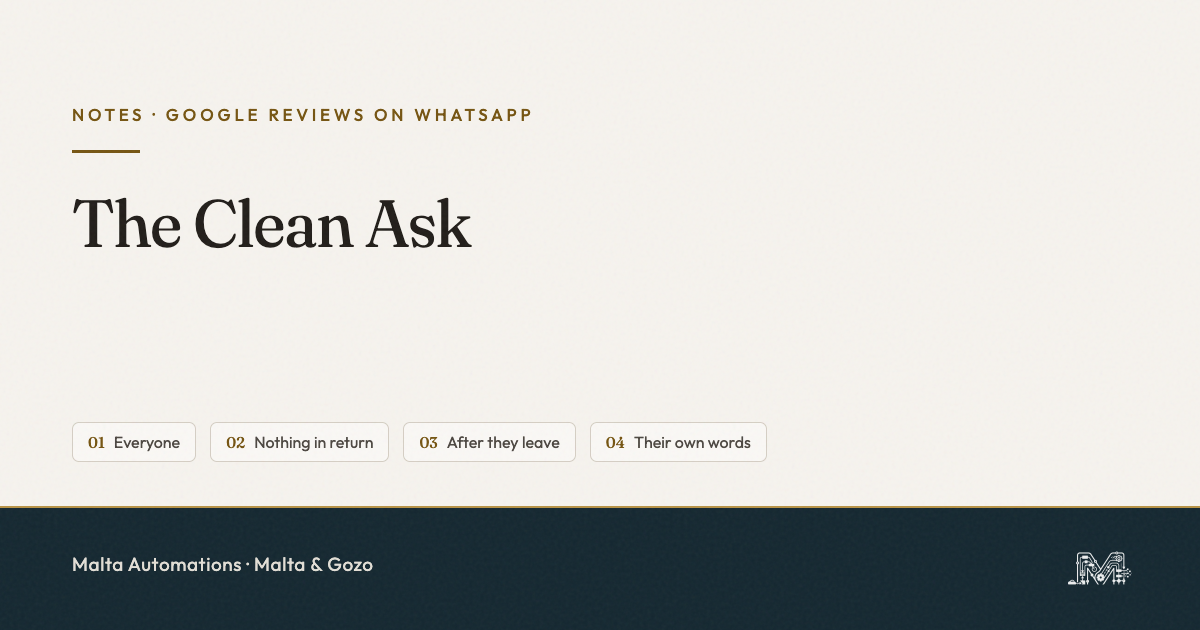
To ask for Google reviews on WhatsApp, copy your review link from your Business Profile (Read Reviews, then Get more reviews, then Copy) and save a short message with it as a WhatsApp Business quick reply. Send it to every customer the same day, after they leave. Offer nothing in return, do not send it only to the happy ones, and do not tell them what to write. Those three are against Google’s own policy, and a few of the guides ranking for this search still recommend them.
Most owners mean to ask for reviews. It is on the list every evening. It rarely happens.
The ask depends on remembering, at 20:00, which customers came in that day and whether you already sent them something. So it happens on good days and disappears on busy ones. The busy days are the ones with the most customers to ask.
Why WhatsApp is the right place to ask
In Malta, WhatsApp is usually where the booking was made in the first place. The customer already has your number saved and a thread with you in it. A review link sent there lands next to “see you Thursday at 10”, not in an inbox full of newsletters.
Google itself lists a WhatsApp message as one of the ways to send a review request. The link opens the review box for your business directly. The customer taps, picks the stars, writes a line. They do need to be signed in to a Google account to post it.
Step 1: get your Google review link
You need the link once. After that it lives in a saved message.
- Go to business.google.com and sign in with the account that manages your profile.
- Choose Read Reviews, then Get more reviews.
- Press Copy. Paste the link into a note on your phone for now.
The QR code on the same screen can only be downloaded from a computer browser, not from your phone. Print it for the counter if you like. It is the WhatsApp link that does the daily work.
If you cannot find your profile, or you find two of them, fix that first. Reviews split across a duplicate listing help neither. This post covers why a Malta business goes missing on Google Maps.
Step 2: save one message as a quick reply
Write the request once and save it, so sending it takes three seconds. In WhatsApp Business open Business tools, then Quick replies, and give it a shortcut like /review. Something like:
“Thanks for coming in today. If you have a minute, a short Google review helps other people find us: [your link]. Thank you, [name]”
Notice what is not in it. No “if you were happy”. No “5 stars would mean the world”. No “mention Maria”. The message asks for a review, nothing else. The next section is why.
The Clean Ask: four rules Google actually enforces
We call it the Clean Ask: one message, to every customer, after they leave, with nothing attached. Each of its four rules comes straight from Google’s policy on reviews for Maps. Break one and the reviews can be removed, and the Business Profile can be restricted.
1. Everyone, not only the happy ones
Google does not allow a business to selectively ask for positive reviews. Some WhatsApp tools sell a flow that asks “how was it?” first, and sends the review link only to people who answer well. That is selective asking, whatever the tool calls it. Send the same message to every customer. If someone has a complaint, deal with it in the chat, as its own thing.
2. Nothing in return
No discount on the next visit, no free extra, no prize draw for reviewers. Google counts any incentive in exchange for a review as fake engagement. That includes offering something to get a negative review changed or removed.
3. After they leave, not at the counter
The policy says a business should not require or pressure customers to leave a rating while they are on the premises. A QR code on the wall is fine, and Google suggests it. Standing over someone at the till until they post is not. A message later that day gives them room to say yes or ignore it.
4. In their own words
You cannot ask for specific content. That rules out “please mention our new colour service” and it rules out asking customers to name a member of staff. Setting staff a target number of reviews is also listed as not allowed. The customer writes what they want to write.
When to send it, and how often
Send it the same day, once the visit is finished. The appointment is fresh and the customer is no longer busy with you. For most studios and clinics that means the quiet gap after lunch, or the end of the day.
Send it once. If they do not reply, leave it. A second nudge about a review costs you more goodwill than the review is worth. Put a Review asked label on the chat when you send it, so you never ask the same person twice.
Where the ask stops depending on you
The steps above still need you to remember, at the end of a long day, who came in. That is why the ask dies on busy weeks. It is the same leak as every other follow-up: the job finishes, the next customer walks in, and the message that should have gone out never does.
Automation takes the remembering off you. When an appointment is marked as done, the same Clean Ask goes to that customer a few hours later, from your WhatsApp number, and the chat gets its label. One caveat: on the WhatsApp Platform, a message sent outside an open conversation has to be an approved template. We cover how that works in the post on WhatsApp appointment reminders.
We only automate this once the manual version is running for a week or two. If the message is wrong, or goes only to the happy customers, automation just breaks the rules faster.
One thing to do today
Open business.google.com on your laptop, copy your review link, and save it as a quick reply called /review. Send it tonight to everyone who came in today. Fifteen minutes, nothing to buy.
Questions owners in Malta ask us
Where do I find my Google review link?
At business.google.com: Read Reviews, then Get more reviews, then Copy. The QR code version can only be made on a computer browser.
Can I offer a discount for a Google review?
No. Any incentive in exchange for a review counts as fake engagement. The reviews can be removed and the profile restricted.
Can I send the link only to customers who were happy?
No. Google does not allow selectively asking for positive reviews. Send the same message to everyone and handle complaints separately.
Can I ask while they are still in the shop?
A QR code on display is fine. Pressuring someone to post while on the premises is not. A message after they leave is the cleaner route.
Can staff ask customers to mention them by name?
No. Asking for specific content, including a staff member’s name, is against the policy. So is giving staff a review target.
When should I send the review request?
The same day, after the visit. Once. If there is no reply, leave it.
If the follow-ups are where your week leaks
Tell us what happens after a customer leaves today: what you send, when, and what gets forgotten. We will tell you whether a saved quick reply is enough, or whether it is worth taking off your hands. Nothing to sign.
Message us on WhatsApp. If we can help, we will. If we cannot, we will say so.
Related: the Four Moves where a small business week leaks, and how to answer a booking enquiry fast enough to still be in the running.