
WhatsApp Business for hair salons: set it up around the chair
By Lucas · Malta Automations, St. Paul’s Bay · · 7 min read
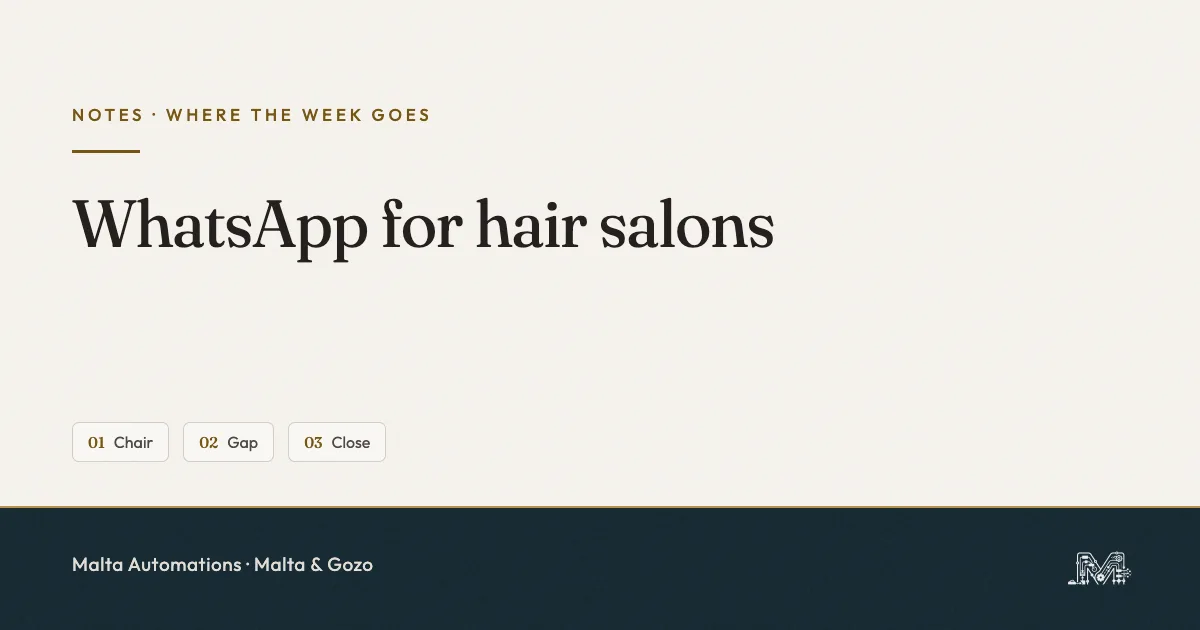
WhatsApp Business for a hair salon works once you stop answering from the chair. Set it up around three moments of the day. At the chair, a greeting message holds the client so you do not have to type. In the gap between clients, quick replies let you answer in seconds, starting with the chats where it is your move. At close, you sweep what is left and send tomorrow’s reminders. We call it Chair, Gap, Close. It runs on the free app, with no extra software.
You cannot type with foils in your hands. The phone buzzes anyway.
So one of two things happens. You stop, dry your hands and answer, and the client in the chair watches you do it. Or you leave it, and by the time you look again the person asking for Saturday has booked somewhere that answered first. Neither is a WhatsApp problem. It is a timing problem, and the free app already has the settings to fix most of it.
Why a salon’s WhatsApp leaks at the chair
A salon’s WhatsApp leaks because the messages arrive when your hands are busy, and get answered in whatever order you happen to see them. A shop can answer between customers at the till. A salon cannot: a colour, a cut or a blow-dry holds you at the chair for an hour or more, and the phone keeps collecting questions the whole time.
By the next gap you have six unread chats. You answer the top one, which is the newest, not the most urgent. The booking request from forty minutes ago sits under a regular sending a thank-you. This is the first of what we call the Four Moves: a message lands mid-job, and the job wins.
Chair, Gap, Close: the setup in one line each
Chair, Gap, Close gives each moment of a salon day one job, so you never answer a message in the wrong one.
- Chair. You type nothing. The greeting message tells a new client you are with someone and when you will reply.
- Gap. Between clients, you answer the chats where it is your move first, using quick replies instead of typing from scratch.
- Close. Before you lock up, you clear what is left and send tomorrow’s reminders by hand.
At the chair: let the greeting message hold the client
At the chair, the greeting message does the talking. WhatsApp sends it automatically when someone messages you for the first time, or after 14 days of no activity in their chat. For a salon, that covers almost every new booking request and most regulars who only write every few weeks.
To set it up in the WhatsApp Business app: open the Tools tab, tap Greeting message, turn on Send greeting message, tap the message to edit it, then choose Recipients and tap Save.
A greeting that works for a salon says three things: you are with a client, when you will reply, and what to send in the meantime.
Hi, thanks for your message. We’re with a client right now and reply between appointments, usually within the hour. If it’s a booking, send the service and the day you’d like, and we’ll come back with two times.
The last line matters most. It turns the wait into something useful: by the time you pick up the phone, the client has already told you what they want, and your reply is one step instead of three.
Two settings that silence the greeting
- Recipients set to Everyone not in address book. Salons save their regulars. This setting skips every one of them. Choose Everyone unless you have a reason not to.
- Meta Business Agent connected. WhatsApp switches greeting messages off when Meta Business Agent is on. If your greeting stopped for no reason, check this first.
The greeting is for opening hours. The evening needs the away message, which is a separate setting with its own traps - both are in the after-hours guide.
In the gap: answer with quick replies, your move first
In the gap between clients, you have minutes, not an hour. Quick replies turn the answers you type ten times a week into a shortcut. In a chat, type / and your saved replies come up. The app stores up to 50.
To add one: Tools tab, Quick replies, tap the plus, write the message, set the shortcut, Save. The app also builds default replies from your business profile - your hours and your address - so fill the profile in properly and two of them are done for you.
Six quick replies most salons need
- /when - “Which service would you like, and which day suits you?”
- /two - “I can do [day] at [time] or [time]. Which one shall I keep for you?”
- /photo - “For colour, send a photo of your hair in daylight and one of what you’d like. It helps us plan the time properly.”
- /hold - “Got it, I’m with a client. I’ll confirm by [time].”
- /booked - “You’re booked for [day] at [time]. See you then.”
- /where - the default address reply the app makes from your profile.
/two is the one that books chairs. Offering two times gets a one-word answer. “When are you free?” starts a conversation you do not have time for.
Two notes from WhatsApp’s own help pages. Quick replies with photos or videos do not work from WhatsApp Web or the desktop app. And a deleted quick reply cannot be recovered, so keep a copy of your six somewhere outside WhatsApp.
Answer in order of whose move it is
Quick replies make each answer fast. The order you answer in decides who gets the Saturday slot. Before you open the newest chat, open the ones where the client is waiting on you. We keep three lists for this - Our move, Their move, Done - and the full setup is in Whose Move.
At close: the sweep and tomorrow’s chairs
At close, two jobs before you lock up. First, the sweep: the Our move list goes to empty. Every chat either gets its answer or a /hold with a time for tomorrow. Nothing waits overnight without the client knowing when you will be back.
Second, tomorrow’s reminders. Ask for a one-word reply by a set time, so silence tells you which chair is at risk while there is still a day to fill it. What to put in that message is in the Three Guards.
The Malta catch: reminders go out by hand
Most guides for salons tell you to schedule reminders with Business Broadcasts. On the Maltese (+356) WhatsApp Business number we checked in September 2026, Business Broadcasts were not there. WhatsApp describes the feature as available in select countries. Until that changes, a Malta salon sends reminders by hand at close, or through an approved template on the WhatsApp Business Platform. The Reminder Ladder covers both.
What the free app will not do for a salon
The WhatsApp Business app holds conversations. It does not run your book. Four limits to know before you blame yourself for them:
- No booking calendar. A slot is only booked when you confirm it or when your booking system does.
- No reminders on its own. Not on a +356 number, as of September 2026.
- Everything sends from the phone. Greeting and away messages need that device online.
- No owner per chat. With two stylists on one number, nobody can see who is answering whom - that fix is One Chat, One Name.
If you are wondering whether to jump to the Platform instead, read the app versus the API first. For most salons with one or two chairs, the free app is enough.
Never automate chaos
None of this helps if bookings live in three places: a paper book, the chat, and your memory. A quick reply that offers two times needs one true list of free times behind it.
So the order stands. Diagnose which moment of the day is leaking: the chair, the gap or the close. Articulate the greeting and the six replies in plain words. Systemize them in the app and the closing sweep. Only then AI, and only once the habit is proven by hand.
One thing to do today
Tonight, turn on the greeting message with Recipients set to Everyone, and save /two as your first quick reply. Then ask someone who has never messaged the salon to send it a “hi” from their phone. If the greeting comes back, the chair is covered from tomorrow morning.
Questions salon owners ask us
Is WhatsApp Business free for a hair salon?
Yes. The WhatsApp Business app is free to download and use, and greeting messages, away messages, quick replies and lists all come with it. You only start paying when you move to the WhatsApp Business Platform, which most single-chair and small salons do not need.
What is the difference between a greeting message and an away message?
A greeting message goes out when someone messages you for the first time, or after 14 days of no activity in that chat. An away message goes out when you are closed or unavailable. A salon wants both: the greeting for the working day, the away message for the evening.
Why is my WhatsApp greeting message not sending?
Check four things. The client may have messaged you in the last 14 days, so the greeting skips them. Your recipient setting may exclude them - Everyone not in address book skips every regular you saved. Meta Business Agent, if connected, switches greeting messages off. And the phone needs an internet connection, because the greeting sends from the device.
Can clients book an appointment inside WhatsApp?
Not by themselves in the free app. There is no booking calendar in WhatsApp Business. Either you confirm the slot by hand in the chat, or a quick reply sends them a link to the booking system you already use. Pick one and use it for every client.
Can I send appointment reminders from WhatsApp Business in Malta?
By hand, yes. Business Broadcasts, the scheduled send in the app, were not available on the Maltese number we checked in September 2026. So reminders go out by hand at closing, or through an approved template on the WhatsApp Business Platform.
How many quick replies can a salon save?
Up to 50. Five or six cover most of a salon's day: which service and when, two times on offer, send a photo of your hair, the address, the hold message, and the confirmation. More than that and nobody remembers the shortcuts.
If the phone at the chair is the part that costs you
I built this because I was sick of rebuilding yesterday’s messages from memory. We work with salons, studios and small service firms across Malta and Gozo, finding the one process that is already eating the week and taking it off the owner.
Message us on WhatsApp and tell us which moment leaks for you: the chair, the gap or the close. No slides, no PDF from abroad, and nothing to buy on the call. If we can help, we will. If we cannot, we will say so.